
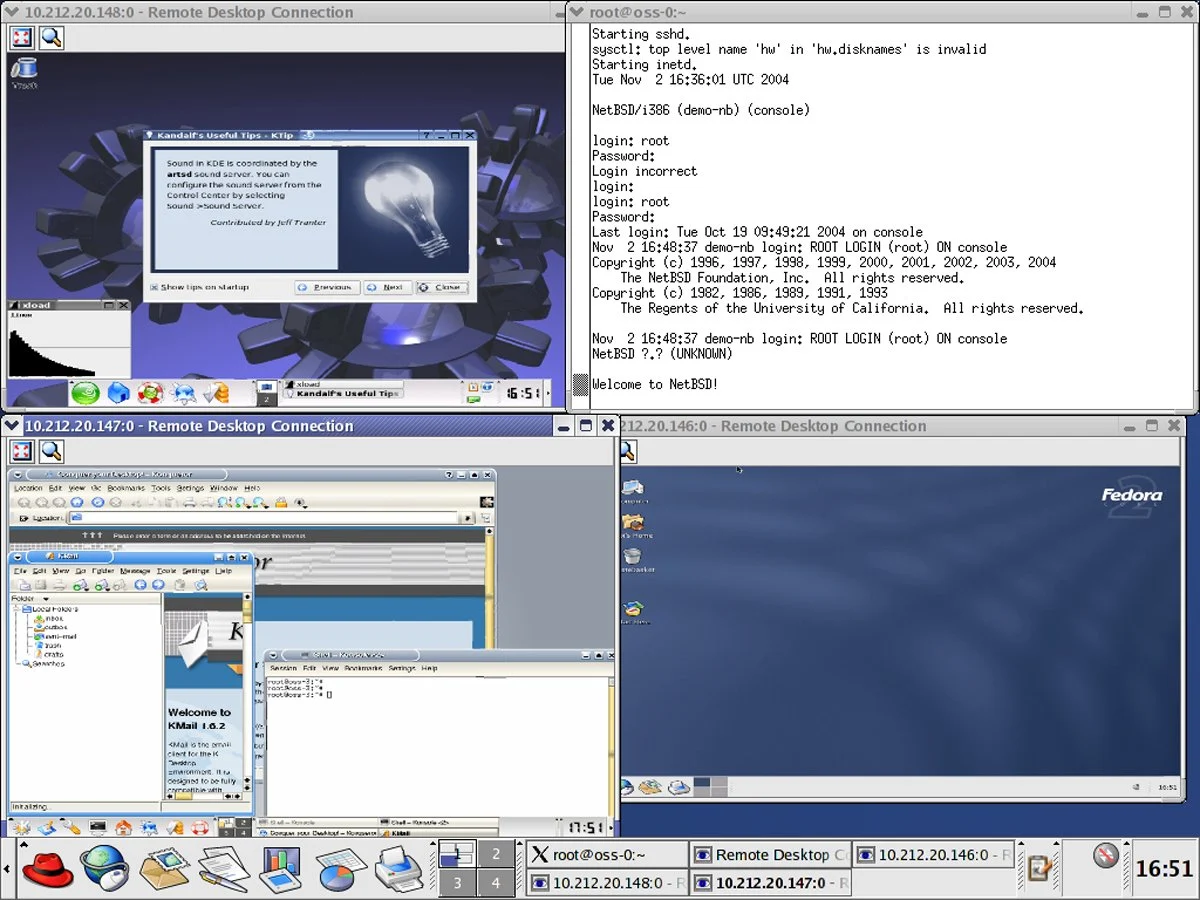

Virtualization software for Linux provides a versatile platform for running multiple operating systems and applications on a single physical machine. This technology allows Linux users to create isolated virtual environments, known as virtual machines (VMs), each with its own set of virtual hardware resources and operating system, independent of the host system. In the Linux context, virtualization software ranges from lightweight solutions designed for desktop users to more robust and feature-rich platforms tailored for enterprise-grade deployments. Software developers can use VMs to test applications across different operating systems without needing multiple physical machines. This article highlights the six best virtual machine software for Linux in 2023, offering a comprehensive analysis to simplify the decision-making process.
Our selection is based on a comprehensive analysis of various factors such as performance, usability, feature set, scalability, and the specific requirements of Linux-based systems. Whether you are an IT professional, a developer, or a business owner, understanding the nuances of these top VM solutions can significantly impact your virtualization strategy.
Top Virtual Machine Software for Linux Comparison
| Performance and Resource Management | Compatibility and System Requirements | Security and Isolation | Networking Capabilities | Starting Pricing | |
|---|---|---|---|---|---|
| Red Hat OpenShift Virtualization | Built on KVM, offers robust performance and resource management. | Primarily designed for Red Hat environments and Kubernetes; compatibility focused on enterprise-level deployments; high system requirements. | Builds on KVM’s security and adds additional enterprise-level security features. | Inherits KVM’s capabilities and enhances them for cloud-native networking and Kubernetes integration. | Depends on server editions; contact Red Hat for pricing information. |
| oVirt | Built on KVM, offers good performance and resource management for data centers. | Based on KVM, good compatibility with Linux environments; generally higher system requirements for managing data centers. | Built on KVM, inherits its strong security and isolation features but with added complexity of a management platform. | Built on KVM, it provides robust networking features, especially for data center management. | Free, open-source solution. |
| Linux-KVM | Integrates directly into the Linux kernel, offering high performance and efficient resource management for Linux environments. | Integrated with Linux kernel; excellent performance on Linux systems. | Integrated into the Linux kernel, offering robust security features and strong isolation capabilities. | Offers advanced networking features, high performance, and is highly configurable. | Free, open-source solution. |
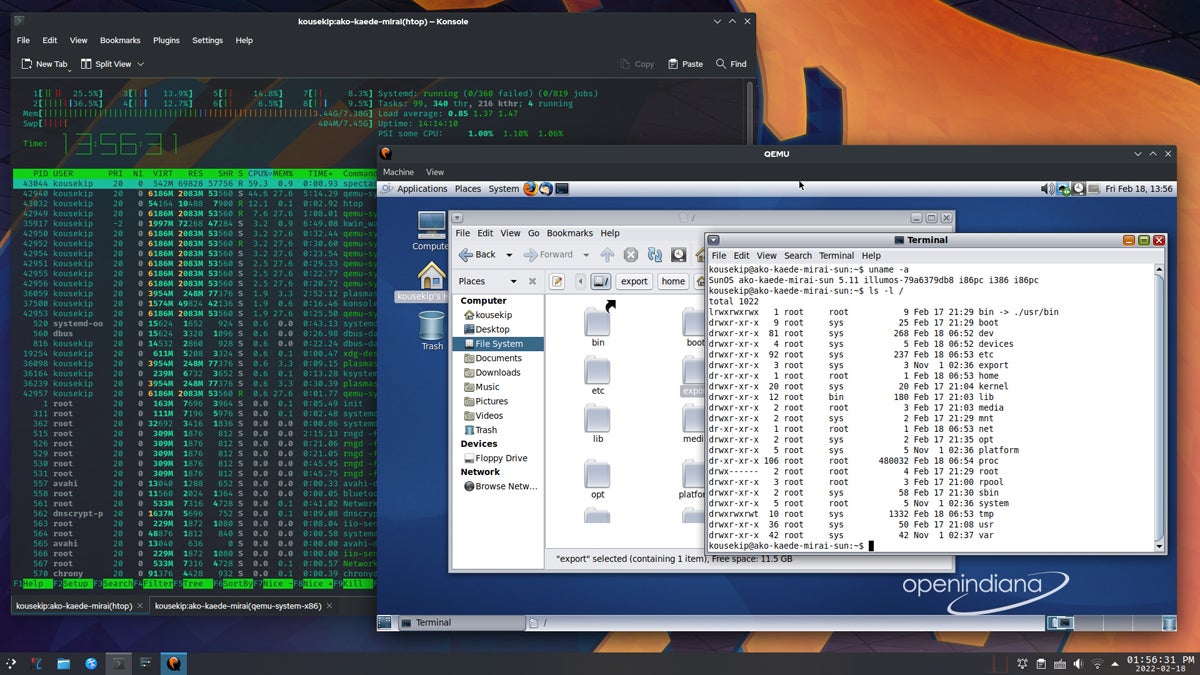
| QEMU | Offers broad hardware support and emulation capabilities. | Highly compatible across different architectures; flexible with various OSs. | Offers good isolation; highly dependent on the configuration. | Offers comprehensive network emulation and configuration options. | Free, open-source solution. |
| Xen Project | Known for strong performance in enterprise settings, especially for paravirtualization and cloud computing. | Strong in server environments; compatible with various Linux distributions and some Windows versions. | Highly regarded for strong security and isolation, often used in enterprise and cloud environments. | Provides strong networking features, suitable for enterprise-level and cloud deployments. | Free, open-source solution. |
| VirtualBox | Very user-friendly, but generally considered less efficient in terms of resource management. | High compatibility with multiple host OSs (Windows, Linux, macOS) and guest OSs. | Provides effective isolation for most use cases. | User-friendly with decent networking capabilities for most standard use cases. | Free, open-source solution. |
Red Hat OpenShift Virtualization
Best Overall Virtualization Solution for Linux
Overall rating: 3.75/5
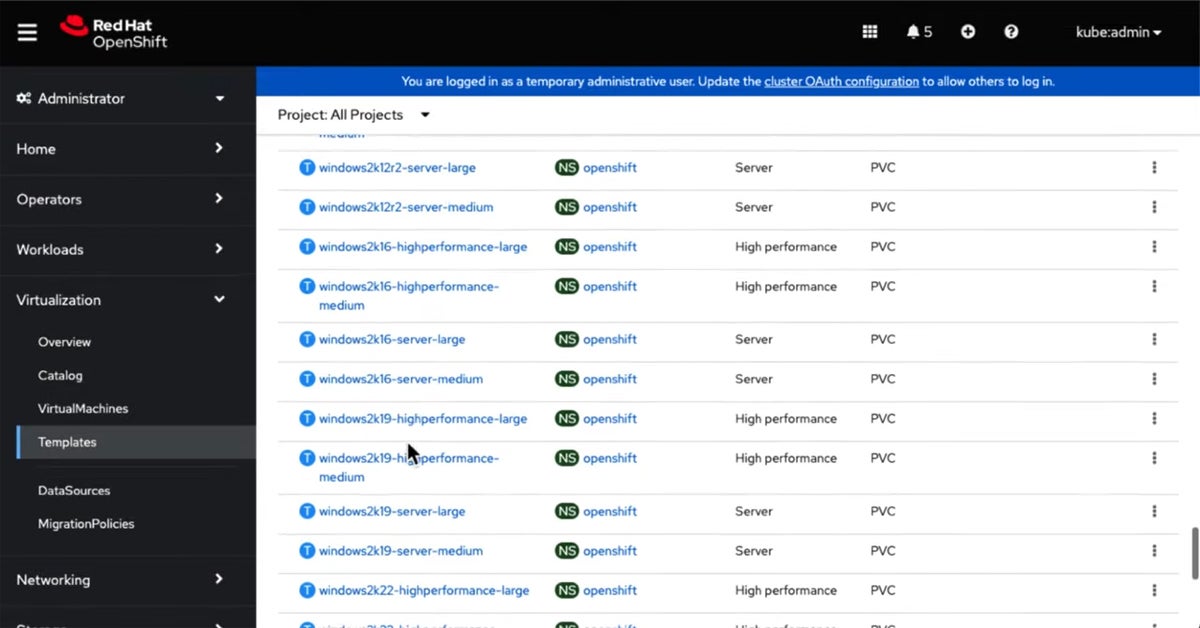
Red Hat OpenShift Virtualization is a powerful solution that merges traditional VM workloads with containerized applications, offering businesses an integrated cloud-native environment. This solution is particularly advantageous for businesses looking to modernize their existing infrastructure without completely discarding their legacy systems. The platform has evolved from a standalone VM management tool into an integrated component of Red Hat’s larger container orchestration platform, OpenShift. This evolution signifies a strategic shift towards hybrid cloud environments, where both VMs and containers coexist and operate seamlessly. Its alignment with cloud-native principles makes it an ideal choice for businesses seeking to leverage the flexibility and scalability of the cloud while maintaining their existing VM-based workloads.
Pricing
Pricing for Red Hat OpenShift Virtualization is typically bundled with Red Hat OpenShift subscriptions. Specific costs vary based on server editions, deployment size, and support levels. Potential customers are encouraged to contact Red Hat directly for personalized quotes.

Pros:
- Seamlessly combines VMs and containerized applications, facilitating a hybrid cloud approach.
- Offers centralized management of both VMs and containers, simplifying administrative tasks.
- Supports scalable deployment, making it easier to adjust resources according to business needs.
Cons:
- Requires understanding both container and VM technologies, which can be challenging for some teams.
- May demand significant resources for optimal performance, especially in large-scale deployments.
- The only solution on this list that isn’t free.
Features:
Red Hat OpenShift Virtualization leverages the power of KVM for its virtualization backend, ensuring robust performance and efficient resource utilization. It integrates deeply with the OpenShift container platform, allowing for unified management of both virtual machines and containers. Key features include the ability to provision and manage VMs directly within the OpenShift console, self-service portals for developers, and advanced networking capabilities that align with cloud-native principles. This integration simplifies workflows for teams managing diverse application environments, from legacy applications running in VMs to modern microservices deployed in containers. The platform also emphasizes security through its integration with OpenShift’s security context constraints and network policies.
oVirt
Best for Managing Large-Scale Virtualized Data Centers
Overall rating: 3.25/5
oVirt is an open-source virtualization management platform that excels in managing large-scale virtualized data centers. It is particularly well-suited for enterprises that require robust management of numerous VMs across diverse hardware environments. oVirt, developed as a community project, has evolved significantly over the years, emerging from its origins as a core component of Red Hat Enterprise Virtualization (RHEV) to a standalone, fully-featured virtualization management solution. Its evolution has been marked by an increasing emphasis on scalability, stability, and integration with other open-source tools, making it a compelling choice for organizations seeking a cost-effective yet powerful virtualization management platform.
Pricing
oVirt is a completely free and open-source solution, eliminating licensing costs. This makes it an attractive option for organizations looking to reduce their total cost of ownership for virtualization infrastructure.

Pros:
- Being open-source, it offers a budget-friendly alternative to proprietary virtualization solutions.
- Excellently handles large numbers of VMs, making it ideal for large data centers.
- Provides comprehensive management features for complex virtualization tasks.
Cons:
- Can be challenging to set up and maintain, especially for smaller organizations without dedicated IT staff.
- While improving, it still lags behind some proprietary solutions in terms of integration with other enterprise systems.
Features:
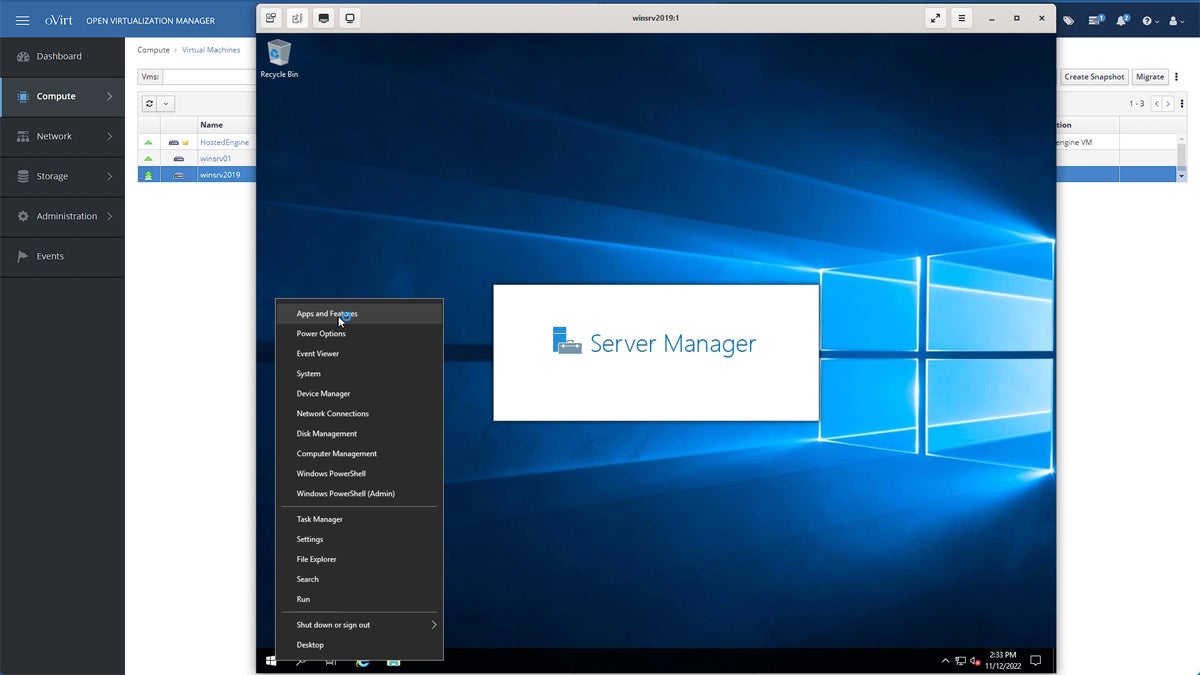
oVirt is built on KVM and leverages its underlying performance and stability. Its strength lies in its comprehensive management interface, which provides a centralized dashboard for overseeing all aspects of the virtualized environment. This includes VM provisioning, resource allocation, storage management, network configuration, and high availability features. oVirt supports advanced functionalities like live migration, snapshotting, and template-based deployment, crucial for efficient data center operations. Its architecture is designed for scalability, allowing it to manage hundreds or even thousands of virtual machines effectively. The platform also integrates with various storage solutions and networking technologies, offering flexibility in deployment.
Linux-KVM
Best for Linux Enthusiasts Seeking Powerful, Integrated Virtualization
Overall rating: 3/5
Linux-KVM (Kernel-based Virtual Machine) is a prominent virtualization solution for Linux enthusiasts and professionals seeking a powerful and deeply integrated virtualization experience within the Linux ecosystem. As a part of the Linux kernel since 2007, KVM turns Linux into a type-1 (bare-metal) hypervisor, allowing users to run multiple virtual machines (VMs) with varied operating systems on a single Linux host. The evolution of KVM has been closely tied to the advancements in the Linux kernel, benefiting directly from the kernel’s updates in performance, security, and hardware compatibility. This close integration with the Linux kernel makes KVM an optimal choice for those who prefer a Linux-centric environment, offering efficient performance and excellent hardware support, particularly for systems that run Linux as their primary operating system.
Pricing
Linux-KVM is an integral part of the Linux kernel, making it a free and open-source solution. There are no licensing fees associated with its use, which significantly reduces the cost of implementing virtualization.
Pros:
- Offers seamless integration with the Linux kernel, ensuring high efficiency and stability.
- As a part of the Linux kernel, it is open-source and benefits from the contributions of a global developer community.
- Utilizes hardware virtualization features of modern CPUs, providing strong performance for VMs.
Cons:
- Primarily beneficial for Linux environments, which might limit its appeal for users of other operating systems.
- Demands a good understanding of Linux systems for effective use and troubleshooting.
Features:
KVM’s primary advantage is its deep integration with the Linux kernel, allowing it to leverage hardware virtualization extensions (Intel VT-x and AMD-V) for near-native performance. It functions as a type-1 hypervisor, meaning it runs directly on the hardware, minimizing overhead. KVM relies on QEMU for device emulation and the management of VM operations. This combination provides a highly efficient and flexible virtualization solution. Key features include strong isolation between VMs, support for a wide range of guest operating systems (including various Linux distributions, Windows, and others), and advanced memory and CPU management capabilities. Its performance is a significant draw for users seeking to run demanding workloads on virtualized Linux systems.
QEMU
Best for Versatile Emulation and Virtualization of Various Architectures
Overall rating: 3/5
QEMU (Quick Emulator) is a versatile open-source tool for both emulation and virtualization, renowned for its ability to emulate various architectures, making it a go-to solution for developers and system administrators who require a flexible, cross-platform environment. Unlike other virtualization technologies that are limited to specific host and guest combinations, QEMU can simulate a wide range of hardware types, running on one architecture and simulating another. This capability is invaluable for development, testing, and deployment across different hardware platforms. Since its inception, QEMU has evolved significantly, enhancing its performance, user interface, and compatibility with various guest operating systems and hardware types. Its continuous development, driven by an active open-source community, has solidified its position as a comprehensive tool for both hardware emulation and virtualization.
Pricing
QEMU is free and open-source software, available under the GNU General Public License. This makes it an accessible and cost-effective solution for a wide range of users.

Pros:
- Capable of emulating a wide range of CPU architectures, ideal for cross-platform development and testing.
- Can perform emulation even on systems without hardware virtualization capabilities.
- Benefits from community-driven development and is freely available.
Cons:
- Can be complex to configure, particularly for advanced emulation scenarios.
- Emulation mode can be slower compared to native execution or hardware-assisted virtualization.
Features:
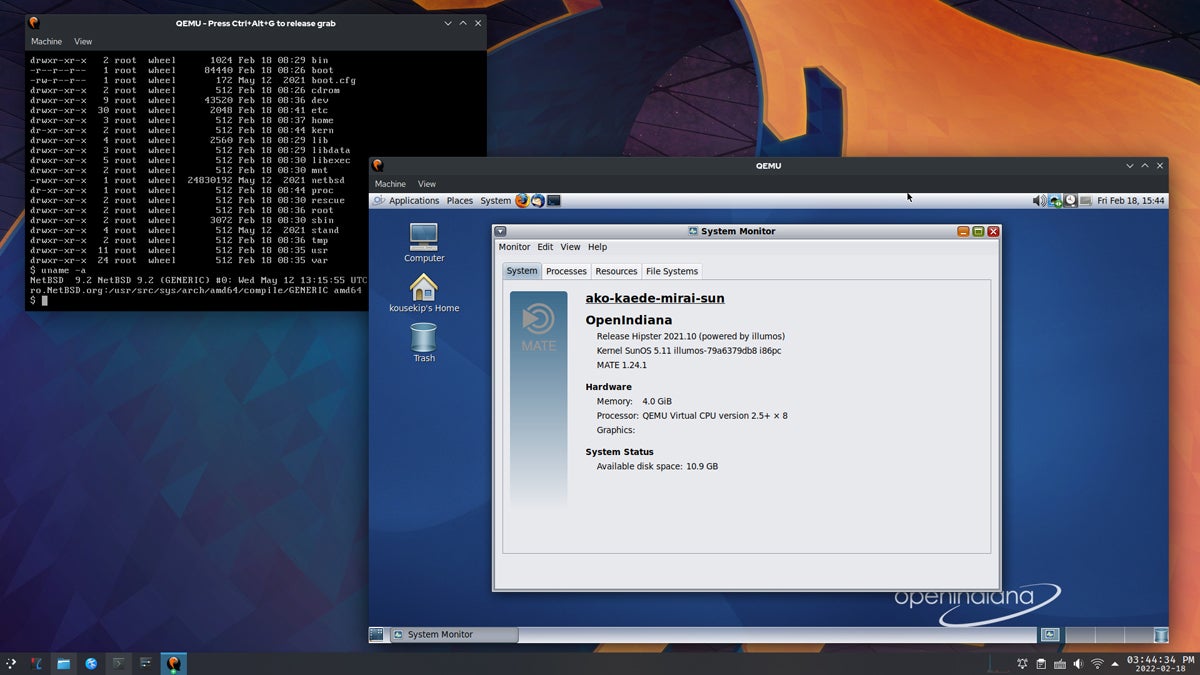
QEMU’s standout feature is its extensive emulation capability. It can emulate various processor architectures (like x86, ARM, MIPS, PowerPC, SPARC, etc.) and hardware devices, allowing users to run operating systems and applications designed for one architecture on a completely different host architecture. When used with KVM, QEMU acts as the user-space component that handles device emulation and VM management, leveraging KVM’s kernel modules for hardware-accelerated virtualization. This combination offers a powerful blend of emulation flexibility and virtualization performance. QEMU supports a broad array of guest operating systems and provides extensive configuration options for virtual hardware, networking, and storage.
Xen Project
Best for Advanced Users Needing a Secure, Open-Source Hypervisor
Overall rating: 3/5
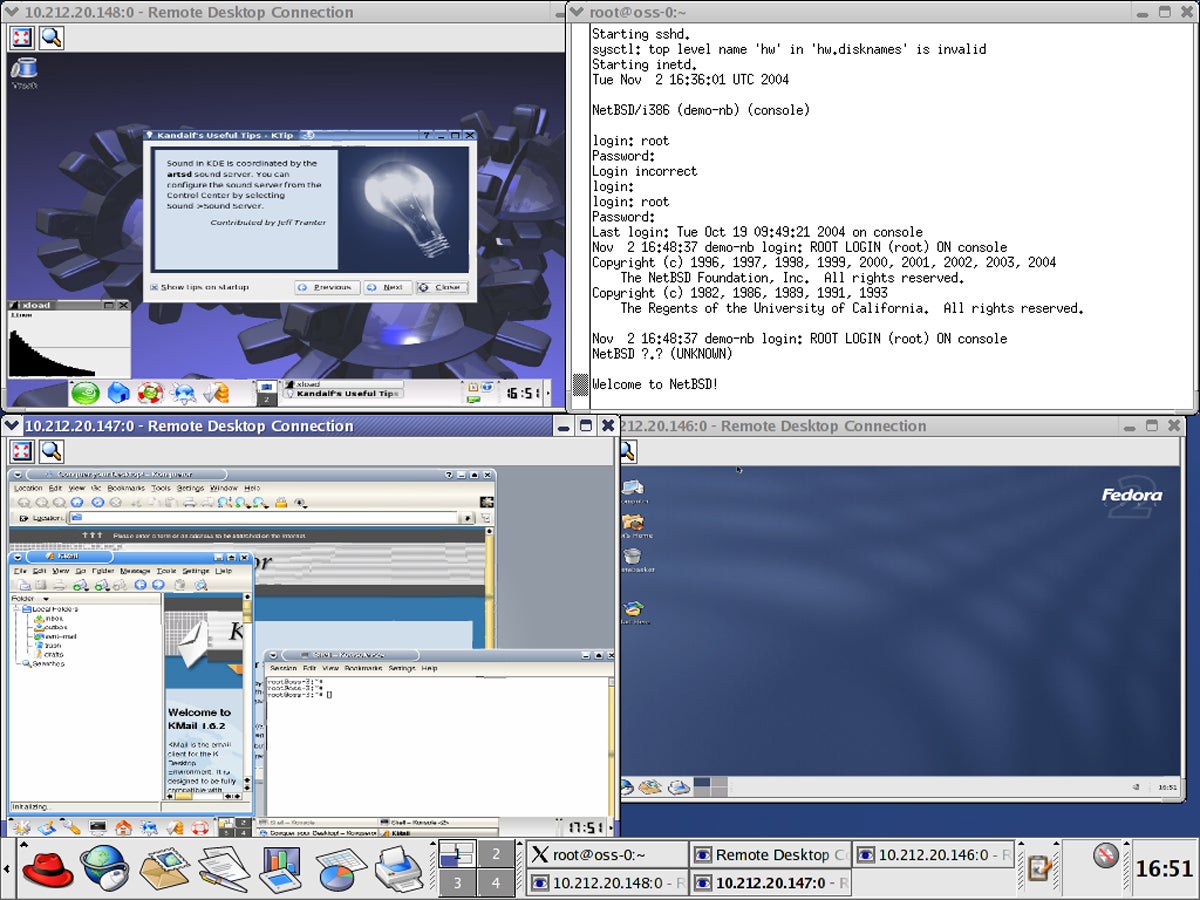
The Xen Project is a highly regarded, open-source hypervisor known for its security, performance, and scalability, making it a top choice for advanced users and organizations that prioritize a secure and robust virtualization environment. Originating from a research project at the University of Cambridge, Xen has evolved into a powerful tool in the world of virtualization. It has been instrumental in shaping cloud computing, with many large cloud service providers utilizing Xen as their underlying hypervisor technology. Xen distinguishes itself through its paravirtualization capabilities, allowing users to run multiple operating systems with minimal overhead, and its strong isolation features, making it ideal for environments where security is paramount.
Pricing
The Xen Project is a free and open-source hypervisor. This means there are no licensing fees, making it a cost-effective choice for enterprises and individuals alike.
Pros:
- Offers robust isolation and security capabilities, essential for multi-tenant environments.
- Efficient paravirtualization reduces the performance overhead typically associated with virtualization.
- Benefits from a wide community of contributors, ensuring constant improvements and updates.
Cons:
- Can be challenging to set up and manage, especially for those without extensive virtualization experience.
- While it supports Windows guests, Xen is more optimized for Linux and Unix-like operating systems.
Features:
Xen is a type-1 hypervisor that can operate in two modes: hardware-assisted virtualization (using Intel VT-x or AMD-V) and paravirtualization. Paravirtualization requires guest operating systems to be modified to communicate directly with the hypervisor, significantly reducing overhead and improving performance, especially for I/O operations. Xen’s architecture is known for its strong security features, including robust isolation between VMs, making it a preferred choice for cloud providers and security-conscious organizations. It supports a wide range of Linux distributions and some versions of Windows as guest operating systems. Xen’s scalability and performance make it suitable for high-density server consolidation and large-scale cloud deployments.
VirtualBox
Best for Quick and Easy Cross-Platform Virtualization
Overall rating: 2.75/5
VirtualBox, an open-source virtualization software developed by Oracle, stands out for its ease of use and cross-platform compatibility, making it an ideal choice for users seeking a quick and straightforward solution for running multiple operating systems. Initially created by Innotek GmbH before being acquired by Sun Microsystems and subsequently by Oracle, VirtualBox has continually evolved, emphasizing user-friendly interfaces and broad guest operating system support. Its ability to run on Windows, macOS, Linux, and Solaris as host systems, and to support a wide range of guest operating systems, from older versions of Windows to modern Linux distributions, makes it a versatile tool for both personal and professional use. This adaptability, combined with its no-cost offering, positions VirtualBox as a go-to solution for users needing a flexible and accessible virtualization platform.
Pricing
VirtualBox is free and open-source software, distributed under the GNU General Public License (GPL) version 2. This makes it an accessible option for personal use, development, and even some enterprise scenarios where commercial support is not a primary requirement.

Pros:
- Runs on multiple host OSs including Windows, macOS, Linux, and Solaris.
- Offers a user-friendly interface, making it accessible even for those new to virtualization.
- Available at no cost, with the benefits of open-source flexibility and community support.
Cons:
- May not match the performance level of more sophisticated virtualization solutions, particularly for intensive tasks.
- While suitable for basic use, it lacks some advanced features needed for complex enterprise environments.
Features:
VirtualBox is a type-2 hypervisor, meaning it runs on top of an existing operating system (the host OS). Its primary strength lies in its user-friendly interface and broad compatibility. It supports a vast array of guest operating systems, including numerous Linux distributions, Windows versions, macOS, Solaris, and others. VirtualBox offers features like seamless integration of guest and host desktops, shared folders, drag-and-drop functionality, and a robust set of virtual hardware options. While it may not offer the raw performance of type-1 hypervisors like KVM or Xen for very demanding enterprise workloads, its ease of use and accessibility make it an excellent choice for desktop virtualization, software testing, and learning purposes.
Key Features of Virtual Machine Software for Linux
Virtual machine software for Linux provides the ability to create and manage multiple isolated virtual environments on a single physical machine. They cater to the unique demands of Linux users, ranging from performance optimization and resource management to enhanced security, network capabilities, and seamless integration with existing Linux infrastructure.
Performance and Resource Management
Performance and resource management in virtual machine software for Linux is a critical aspect that ensures efficient utilization of system resources while maintaining optimal performance. The software allows IT professionals to allocate and manage resources like CPU, memory, and storage for each virtual machine (VM), tailored to specific needs. Advanced features like dynamic resource scheduling and load balancing ensure that resources are optimally distributed among VMs based on their current workload, preventing any single VM from monopolizing system resources. Moreover, performance monitoring tools integrated into VM software provide real-time insights into the resource usage and performance metrics of each VM. This is crucial for maintaining application responsiveness and preventing performance bottlenecks.
Compatibility and System Requirements
The software must be compatible with a range of Linux distributions and versions to ensure flexibility and broad applicability. This includes support for both popular distributions like Ubuntu, Fedora, and CentOS, and more specialized or older versions. Compatibility extends to the support of various Linux kernels, including custom ones, which is crucial for organizations running specialized or highly-customized Linux environments. Additionally, compatibility with different hardware architectures is an important aspect. While most VM software supports x86_64 architectures, support for ARM-based systems is becoming increasingly relevant, especially with the rise of energy-efficient and low-cost ARM servers. This broadens the applicability of VM software in various environments, from traditional data centers to edge computing scenarios.
Usability and Management
The best VM software for Linux typically features a user-friendly interface, allowing easy creation, configuration, and management of VMs. This includes graphical user interfaces (GUIs) as well as command-line tools, catering to the preferences and expertise of different users. Another aspect of usability is the ease of migrating VMs between different hosts or from physical to virtual environments. This feature is essential for maintaining flexibility and minimizing downtime during hardware upgrades, maintenance, or in disaster recovery scenarios. Centralized management consoles, like those offered by OpenShift Virtualization and oVirt, further enhance usability by providing a single pane of glass for managing all virtualized resources.
Security and Isolation
VMs operate in isolated environments, meaning that the processes, data, and system configuration of one VM are kept separate from others. This isolation is crucial for security, as it prevents issues in one VM, such as a security breach or software failure, from affecting others. VM software often incorporates additional security features to enhance this isolation. These include network security controls, such as firewalls and isolated virtual networks, to manage the flow of traffic between VMs and the external network. Technologies like SELinux integration and secure boot capabilities within the hypervisor further bolster the security posture of virtualized environments.
Networking Capabilities
Networking capabilities in VM software for Linux are designed to offer flexibility and control over how VMs interact with each other and with external networks. The software typically supports a range of networking options, including bridged, NAT, and host-only networking. Advanced networking features such as virtual LAN (VLAN) support and network isolation are also key aspects. VLAN support allows for segmenting VMs into separate network domains, enhancing security and traffic management. Some advanced solutions offer software-defined networking (SDN) capabilities, enabling dynamic and programmable network configurations for complex enterprise environments.
Scalability and Flexibility
Scalability ensures that the virtual infrastructure can grow or shrink according to the demands of the applications and the available resources. This includes the ability to add or remove VMs easily, as well as to adjust their resource allocations (CPU, memory, and storage) on-the-fly without requiring a restart. The flexibility of VM software also extends to the types of workloads it can support. From development environments to heavy-duty data processing applications, the software is designed to handle a diverse range of use cases, allowing businesses to adapt quickly to changing market demands.
Reliability and Uptime
Reliability and uptime are critical considerations in VM software for Linux, as they directly impact the availability and performance of the applications running on these VMs. To ensure high reliability, the software typically includes features like automated failover, which allows VMs to be automatically moved to another host in the event of hardware failure. Backup and disaster recovery capabilities are also integral to the reliability of VM software. Regular backups of VMs ensure that data and configurations can be restored in case of corruption or loss. Snapshotting, which captures the state of a VM at a specific point in time, is another valuable feature for quick rollbacks.
Integration and Compatibility with Existing Infrastructure
Integration and compatibility with existing infrastructure are crucial for the seamless operation of VM software in Linux environments. This involves ensuring that the VM software can integrate with existing management tools, authentication systems, and storage solutions. Furthermore, the ability to integrate with popular monitoring and analytics tools is essential. This enables IT teams to have a comprehensive view of their infrastructure, including both physical and virtual components. For example, solutions like Red Hat OpenShift Virtualization are designed to integrate tightly with container orchestration platforms, offering a unified management experience.

How to Choose the Best Virtual Machine Software for Linux
Selecting the right VM software for a Linux environment is a crucial decision that can significantly impact both technical operations and business outcomes. Whether you’re an IT professional tasked with managing a complex infrastructure or a business owner seeking to optimize your technological resources, understanding key factors in choosing the best VM software is essential.
1. Assess Business and Technical Needs
Begin by assessing the specific needs of your business or project. Consider the scale of your operations, the nature of your workloads, and your growth projections. For smaller businesses or those with less complex needs, a simpler, more user-friendly VM solution might be sufficient. Larger enterprises or those with more complex, dynamic workloads may require a more robust solution with advanced features like automated scaling and extensive integration capabilities. Additionally, ensure the VM software is compatible with your existing Linux environment and any other operating systems you might need to support. This includes checking compatibility with the specific Linux distribution and version you are using, as well as with the hardware and architectures (like x86_64 or ARM) in your existing infrastructure.
2. Optimize Performance and Resource Management
Look for VM software that offers efficient resource management, allowing you to maximize the use of your hardware. Features like dynamic resource allocation and the ability to overcommit resources can be beneficial, especially in environments with fluctuating workloads. Opt for software that provides comprehensive monitoring and analytics tools. These tools can help you track the performance of your VMs and make informed decisions about resource allocation and scaling. Solutions built on KVM or Xen often excel in this area due to their kernel-level integration and optimized resource handling.
3. Usability and Management
Consider the ease of deployment, configuration, and management of the VMs. For teams with limited technical expertise, software with a user-friendly interface and straightforward setup processes can be more appropriate. For larger or more dynamic environments, look for solutions that offer automation features and support scalability. This includes the ability to automate routine tasks and easily scale your VM environment up or down based on demand. Tools with well-documented APIs and CLI interfaces are also valuable for automation.
4. Security and Reliability
Security is paramount in every aspect of your tech stack. Choose VM software with strong isolation features, robust network security options, and support for encrypted storage and communications. Also consider the software’s reliability, including features like automated failover, backup, and disaster recovery options. Reliable VM software should ensure minimal downtime and provide quick recovery options in case of failures. Hypervisors like Xen and KVM, known for their security architecture and integration into the Linux kernel, are often favored for their inherent robustness.
5. Budget and Support
Balance the cost of the VM software with its features and your specific needs. While some open-source solutions might be cost-effective, they may require more in-house expertise to manage. Conversely, commercial solutions might offer more extensive support and advanced features but at a higher cost. Evaluate the level of support provided by the software vendor, including customer service, technical support, and the availability of regular updates. Additionally, consider the strength and activity of the software’s user community, which can be a valuable resource for troubleshooting and best practices.
6. Long-Term Considerations
Ensure the VM software can scale to meet future business needs. This includes the ability to handle an increasing number of VMs, integrate with emerging technologies, and adapt to changing business requirements. The chosen VM software should align with your broader IT strategy and easily integrate with other tools and systems in your infrastructure, such as cloud services, container orchestration systems, and network storage solutions. A platform that offers a clear upgrade path and continued development is crucial for long-term viability.
How We Evaluated Virtual Machine Software for Linux
Our evaluation methodology for VM software targeting Linux systems was both thorough and methodical, focusing on essential attributes that impact business operations. Each characteristic was quantitatively scored, reflecting its significance and influence on performance, user-friendliness, and security.
Feature Evaluation – 50%
The core functionality of the VM software forms the crux of our assessment. We meticulously analyzed various features, categorized as follows:
-
Performance and Resource Management – 20%: This critical aspect received the highest weighting. Our evaluation centered on the software’s efficiency in allocating and managing resources like CPU, memory, and storage, particularly under varying loads. We favored software demonstrating outstanding performance, low latency, and seamless handling of demanding tasks. Criterion winners: Linux-KVM, Xen Project, Red Hat OpenShift Virtualization, oVirt.
-
Compatibility and System Requirements – 15%: We examined the software’s adaptability to different Linux versions and hardware configurations, including peripheral support. Higher scores were awarded to software exhibiting broad compatibility and modest hardware requirements, underlining its adaptability and ease of integration. Criterion winners: VirtualBox, QEMU.
-
Usability and Management – 15%: The focus here was on installation ease, user interface intuitiveness, and management simplicity. Software offering an intuitive experience, comprehensive management tools, and straightforward daily operation integration scored higher. Criterion winners: VirtualBox, GNOME Boxes (though not explicitly listed in the top 6, it’s a common desktop tool).
-
Security and Isolation – 15%: Considering the importance of data security, we scrutinized built-in security features and VM isolation levels. Software with robust security measures and strong isolation capabilities, reducing cross-VM contamination risks, were scored favorably. Criterion winners: Xen Project, Linux-KVM.
-
Networking Capabilities – 10%: This involved assessing the software’s network configuration and management capabilities, particularly for NAT, bridged, and host-only networks. Superior and flexible networking options, facilitating efficient internal and external VM communication, were highly scored. Criterion winners: Linux-KVM, Red Hat OpenShift Virtualization.
-
Scalability and Flexibility – 10%: We evaluated the software’s scalability and configuration flexibility in line with business growth. Software adept at managing increasing VM numbers without performance loss, and offering extensive customization, received higher scores. Criterion winners: Linux-KVM, Red Hat OpenShift Virtualization.
-
Reliability and Uptime – 10%: We assessed software stability, downtime frequency, and uptime assurances. Software demonstrating high reliability and consistent performance with minimal downtime was highly rated. Criterion winners: Linux-KVM, Red Hat OpenShift Virtualization.
-
Integration and Compatibility with Existing Infrastructure – 5%: Our focus was on the software’s integration ease with existing IT ecosystems and compatibility with various systems and applications. Highly integrative and supportive of third-party integrations software scored higher. Criterion winners: Red Hat OpenShift Virtualization.
Cost Considerations – 25%
Understanding the pricing structure of VM software is complex. We evaluated not only the cost but also price transparency, clarity of pricing information, sales channels, and customization options for bundled offerings. On the other hand, many of the solutions above are open-source and free-of-charge. Therefore, we focused more on the availability and clarity of the download pages, including their past versions, than on hard numbers, as we would with most other solutions. Criterion winners: QEMU.
Support Evaluation – 25%
Recognizing the critical nature of support in technology, we assessed the availability and range of support options for each software, including phone, email, chat, knowledge bases, and forums. Solutions offering comprehensive and accessible support were rated highly, as effective support can significantly mitigate the impact of technical issues. Criterion winners: Red Hat OpenShift Virtualization.
Frequently Asked Questions (FAQs)
What is Linux virtualization software, and how does it work?
Linux virtualization software, often referred to as a hypervisor or VM manager, is a tool that allows you to create and manage multiple VMs on a single physical host system. Each VM simulates a complete hardware system—from processor to network interface—and can run its own OS and applications, isolated from the others. This is achieved by the software partitioning the physical server’s resources (like CPU, memory, and storage) among the VMs. The hypervisor sits between the hardware and the VMs, managing resources and ensuring that each VM remains separate and secure.
What are the primary benefits of using Linux virtualization software?
The benefits of using Linux virtualization software are numerous. It offers resource efficiency, allowing multiple operating systems and applications to run on a single physical server, thereby reducing hardware costs and optimizing resource utilization. Flexibility is another key advantage, as it enables rapid deployment and scaling of applications without the need for additional physical hardware. Isolation ensures that issues in one VM do not affect others, enhancing security and stability. Additionally, it supports disaster recovery efforts, as VMs can be easily backed up and restored.
Is Linux virtualization software suitable for server or desktop virtualization?
Linux virtualization software is versatile and can be used for both server and desktop virtualization. Server virtualization is commonly used in data centers and enterprises for running multiple environments on a single physical server, optimizing resource usage and simplifying server management. Desktop virtualization, on the other hand, is used to provide a virtual desktop environment to users, which can be particularly beneficial for remote access, centralized management, and ensuring a consistent user experience across different hardware.
Is open-source VM software for Linux reliable for enterprise use?
Yes, many open-source VM software options for Linux are reliable and suitable for enterprise use. These solutions often have strong community support, regular updates, and robust security features. Enterprises opt for open-source solutions due to their flexibility, lack of licensing fees, and the ability to customize the software to fit specific needs. However, it’s important for enterprises to evaluate the level of community and commercial support available, as well as the software’s compatibility with their existing infrastructure and scalability needs.
Can VM software for Linux scale with my business growth?
Yes, VM software for Linux is designed to scale with your business. It allows for the easy addition of new VMs as your business grows and requires more computing resources. Many VM solutions offer features like dynamic resource allocation, load balancing, and automated scaling, which are essential for adapting to changing business needs. Additionally, the ability to integrate with cloud services and other technologies means that VM environments can be expanded beyond the physical limitations of the host hardware, offering even greater scalability.
Bottom Line: Leveraging Open-Source Solutions for Virtualization in Linux
Open-source virtualization solutions for Linux present a compelling choice for businesses and IT professionals looking to leverage the benefits of virtualization in a cost-effective and flexible manner. These solutions stand out for their robust community support, customization capabilities, and the absence of licensing fees, making them particularly attractive for organizations that prioritize adaptability and budget-friendly options.
However, the decision to implement an open-source virtualization solution in a Linux environment should be made with careful consideration of the organization’s specific requirements and capabilities. While the absence of licensing costs is advantageous, it is essential to evaluate the level of in-house expertise available, as open-source solutions often require a deeper technical understanding for effective customization and management.
Whatever virtualization solution you go with, don’t skimp on security. Here are the best server security solutions to protect your VMs and data.
