
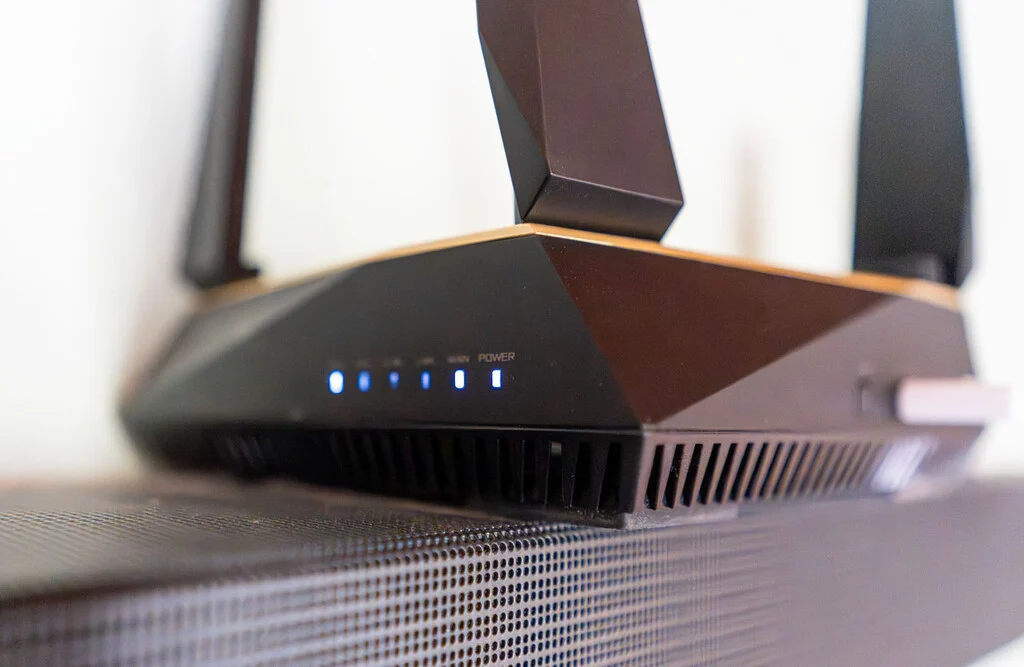

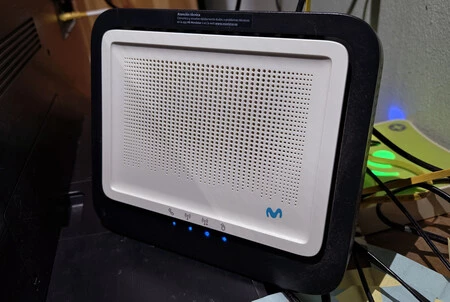
The modern home relies intrinsically on a robust and pervasive Wi-Fi network. Far from being simple devices, contemporary routers are sophisticated three-in-one units, integrating a Wi-Fi access point, an Ethernet switch, and a connection router. Despite their advanced capabilities, a common frustration for many households remains inconsistent wireless coverage, with signal dead zones plaguing even well-appointed residences. Addressing these connectivity gaps is not merely about purchasing new hardware; often, significant improvements can be achieved through strategic adjustments and a deeper understanding of network fundamentals. This comprehensive guide delves into proven methods to amplify your home Wi-Fi signal, ensuring reliable internet access throughout every corner of your living space.
Understanding the Core of Your Home Network: The Router’s Multifaceted Role
At its heart, the router serves as the central nervous system of your digital home. While it performs the vital function of routing internet traffic, its role as a Wi-Fi access point is arguably its most recognized feature. Manufacturers typically ship routers with a default configuration designed for basic functionality. Users commonly personalize these settings by changing the Wi-Fi network names (SSIDs) and passwords, as well as the administrative password for the router’s management interface. Beyond these essential security measures, advanced configurations allow for features such as creating isolated guest networks, optimizing port forwarding for specific applications like online gaming or streaming, and, crucially, fine-tuning the Wi-Fi signal itself. Before contemplating costly hardware upgrades, it is imperative to explore the often-overlooked customization options within your existing router’s menus, as these hold the key to unlocking its full potential.
Decoding Wi-Fi Signal Degradation: Factors Beyond the Router’s Control
Wi-Fi signals, being radio waves, are susceptible to various forms of degradation. Understanding these underlying principles provides crucial context for effective troubleshooting. The 2.4 GHz band, while offering greater range and penetration through obstacles, is prone to interference from other devices operating on the same frequency, such as microwave ovens, cordless phones, Bluetooth devices, and even neighboring Wi-Fi networks. The 5 GHz band, conversely, provides faster speeds and less interference but has a shorter range and struggles more with physical barriers. Common causes of signal attenuation include distance from the router, physical obstructions like thick walls (especially those containing metal or concrete), large furniture, water bodies (aquariums, plumbing), and reflective surfaces like mirrors. Electromagnetic interference from other electronics can also significantly impact signal quality. Recognizing these external and internal factors is the first step toward implementing targeted solutions.
Immediate Impact Strategies: Physical Adjustments for Enhanced Signal
Often, the most effective improvements begin with simple physical changes that require no technical expertise or access to router settings. These foundational adjustments can dramatically alter signal propagation.
Strategic Antenna Orientation: Harnessing Radio Frequency Physics
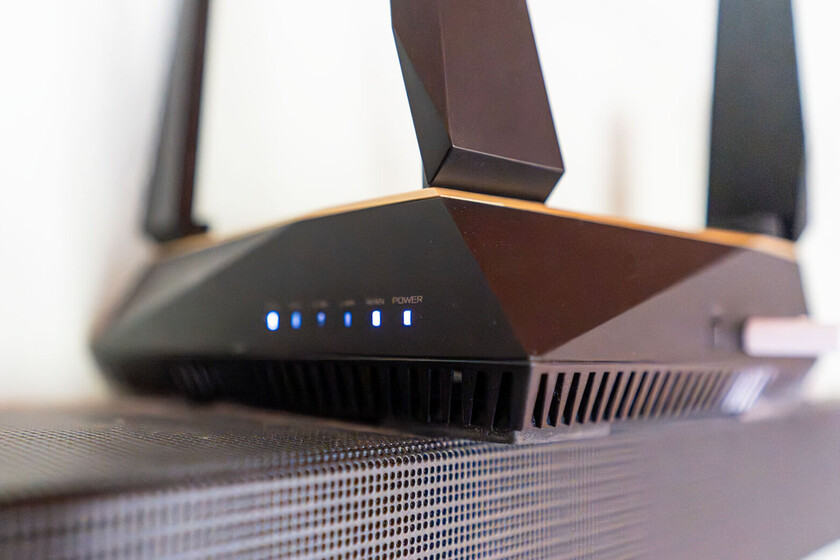
For routers equipped with external antennas, their orientation is far from arbitrary. Radio frequency (RF) signals are emitted perpendicularly to the antenna’s axis. Therefore, if an antenna is positioned vertically, its signal propagates horizontally, maximizing coverage across a single floor. Conversely, if an antenna is placed horizontally, the signal tends to spread vertically, which can be beneficial for multi-story homes. Industry best practices suggest orienting most antennas vertically to ensure broad horizontal coverage throughout a single-story dwelling. In multi-level residences, an effective strategy involves positioning one antenna horizontally while keeping others vertical. This configuration helps distribute the signal more evenly between floors, mitigating dead zones in upper or lower levels. While not all routers feature external antennas—many now integrate them internally for aesthetic reasons—those that do offer a tangible point of optimization.
Optimal Router Placement: The Foundation of Pervasive Coverage
The physical location of your router is perhaps the single most critical factor influencing Wi-Fi coverage. A centrally located router acts like the epicenter of a signal ripple, ensuring that the wireless waves radiate outwards evenly across your property. Elevating the router, ideally to a high shelf or mounted on a wall, helps it broadcast over potential obstructions like furniture and other electronics, further enhancing its reach. Crucially, the router should be kept away from thick walls, particularly those made of concrete or brick, which are notorious for absorbing and blocking Wi-Fi signals. Similarly, distance from other electronic devices operating in the 2.4 GHz band—such as microwave ovens, which can emit powerful electromagnetic interference, or baby monitors and older cordless phones—is paramount. Even large metal objects, filing cabinets, or appliances can act as Faraday cages, severely attenuating the signal. Experts consistently recommend placing the router in an open area, free from clutter and obstructions, to allow for optimal signal dispersion.
Upgrading External Antennas: Redefining Signal Reach
For routers that allow antenna replacement, upgrading to higher-gain external antennas can be a beneficial enhancement. Standard consumer routers often come with 2 dBi (decibel-isotropic) antennas. Swapping these for antennas with a higher gain, such as 5 dBi or 7 dBi, can noticeably improve Wi-Fi coverage within the home. It is crucial to understand that increasing antenna gain primarily redistributes the existing signal rather than multiplying its power output. A higher-gain antenna concentrates the signal into a narrower beam, effectively pushing it further in a specific direction. This means that while range in one direction might improve, coverage in other directions could slightly diminish. Therefore, careful consideration of antenna type (omnidirectional vs. directional) and placement is necessary to achieve the desired effect, particularly in homes with unusual layouts or specific areas requiring stronger signals. This approach should be coupled with proper orientation for maximum efficacy.
Software and Hardware Synergies: Enhancing Network Performance and Security
Beyond physical adjustments, maintaining the router’s software and ensuring robust physical connections are vital for both performance and security.
The Critical Role of Firmware Updates: Security, Stability, and Performance
Firmware is the embedded software that controls your router’s operations. Manufacturers regularly release firmware updates to address security vulnerabilities, improve system stability, and enhance overall performance, including Wi-Fi coverage. These updates can introduce optimizations for signal management, resolve known interference issues, and even improve the efficiency of wireless protocols. Neglecting firmware updates leaves your network vulnerable to security threats and prevents it from operating at its peak potential. Checking for and applying the latest firmware is a mandatory step in network maintenance. Most modern routers offer an automatic update feature, but manual checks via the router’s web interface are often necessary, especially for older models. This proactive measure not only bolsters your network’s defenses against evolving cyber threats but also ensures that you benefit from the latest performance enhancements.
Ensuring Robust Foundations: The Importance of Ethernet Cable Integrity
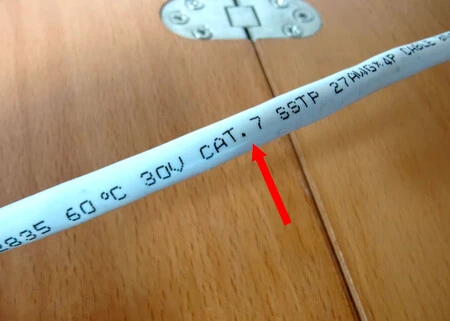
While the focus is often on wireless connectivity, the foundational wired connections are equally important. This is particularly true in setups involving a separate Optical Network Terminal (ONT) or when using a third-party access point connected to the operator’s main router. The Ethernet cable linking these devices carries the primary internet signal, and its quality directly impacts network performance. Utilizing an outdated or damaged Ethernet cable (e.g., Cat 5 instead of Cat 5e or Cat 6) can create a bottleneck, limiting the maximum speeds achievable even if your Wi-Fi signal is strong. Category 5e (Cat 5e) cables are generally sufficient for gigabit speeds, while Cat 6 or Cat 6a cables offer even greater bandwidth and reduced crosstalk, providing a more robust connection. Regularly inspecting these cables for kinks, frayed ends, or damage, and replacing them with appropriate categories, ensures that your internet’s backbone is as strong as your Wi-Fi signal.
Advanced Network Architectures: Moving Beyond Traditional Signal Amplification
For homes with persistent coverage issues, especially larger properties or those with complex layouts, traditional signal boosters often fall short.
Mesh Wi-Fi Systems: A Paradigm Shift in Whole-Home Coverage
Historically, Wi-Fi repeaters or extenders were the go-to solution for expanding coverage. However, classic repeaters typically operate by capturing and re-broadcasting the signal on the same channel, which inherently halves the available bandwidth and can introduce significant latency and speed reductions. The user experience is often disjointed, with devices struggling to seamlessly switch between the main router and the repeater. In contrast, Wi-Fi Mesh systems represent a significant advancement. A Mesh network consists of multiple nodes that communicate with each other to create a single, unified Wi-Fi network that blankets the entire home. Devices automatically connect to the node with the strongest signal, ensuring seamless roaming without manual intervention. Many modern routers, even some older models, offer Mesh compatibility, allowing users to build an Mesh network without replacing their primary router, simply by adding compatible satellite nodes. For those contemplating signal amplification, investing in a Mesh system offers a vastly superior experience in terms of speed, stability, and coverage compared to traditional repeaters, representing a more robust and future-proof solution for comprehensive home connectivity. The market for Mesh systems has seen significant growth, with analysts projecting continued expansion as consumers seek more reliable whole-home Wi-Fi solutions.
Fine-Tuning Your Network: Delving into Router Settings for Precision Control
Once physical and architectural elements are addressed, optimizing the router’s internal software settings can provide the final layer of performance enhancement.
Manual Channel Optimization: Navigating the Invisible Airwaves
Wi-Fi signals travel through specific channels, akin to lanes on a highway. In densely populated areas, multiple neighboring routers may operate on the same default channels, leading to congestion and interference that severely degrades signal quality and speed. While most routers are designed to automatically select the least congested channel, this automatic selection is not always optimal or consistently effective. Manually analyzing the Wi-Fi environment using dedicated apps or software (available for smartphones and computers) to identify less crowded channels can yield significant improvements. For the 2.4 GHz band, non-overlapping channels are 1, 6, and 11. For the 5 GHz band, many more non-overlapping channels are available. Switching to one of these less utilized channels can drastically reduce interference from neighboring networks, resulting in a more stable and faster connection. Network administrators frequently emphasize the importance of this adjustment as a key step in troubleshooting Wi-Fi performance issues.
Calibrating Transmission Power: Balancing Reach and Efficiency
Within the advanced settings of many routers, there is an option to adjust the Wi-Fi transmission power. The intuitive assumption might be that maximizing this power will always result in better coverage. However, as numerous tests have shown, "more power" does not always equate to "better Wi-Fi." Excessive transmission power can lead to signal reflections and interference within a smaller space, paradoxically degrading performance. Conversely, insufficient power will result in limited range. The optimal setting depends on the specific environment. For smaller homes with fewer thick walls, a medium power setting might be more efficient, reducing internal interference while still providing adequate coverage. For larger homes or those with significant physical obstructions, a higher setting might be necessary. The key is a process of iterative testing: adjust the power incrementally and monitor the signal strength and speed in various locations throughout the house to find the ideal balance that maximizes both reach and quality without causing self-interference. It is also important to be mindful of local regulatory limits on Wi-Fi transmission power.
Strategic Band Separation: Tailoring Connectivity for Diverse Devices
Many modern dual-band routers feature "band steering" or "smart connect," which attempts to automatically assign devices to either the 2.4 GHz or 5 GHz band based on their capabilities and signal conditions, often presenting a single SSID. While convenient in theory, this automatic selection isn’t always perfect, sometimes leading devices to connect to a suboptimal band. For example, a smart home device like a security camera or a smart plug, which primarily needs range and penetration rather than high speed, might be forced onto the 5 GHz band where its connection is weaker. Conversely, a laptop or gaming console, which demands high speed, might get stuck on the slower 2.4 GHz band. Separating the 2.4 GHz and 5 GHz bands into distinct Wi-Fi networks with different SSIDs (e.g., "MyHomeWiFi-2.4GHz" and "MyHomeWiFi-5GHz") allows for manual, intelligent device assignment. Devices that benefit from greater range and wall penetration, such as smart home gadgets and older mobile devices, should be connected to the 2.4 GHz network. High-bandwidth devices like smartphones, tablets, and gaming consoles should prioritize the 5 GHz network for faster speeds and lower latency. This strategic separation ensures each device operates on the band best suited for its needs, collectively optimizing overall network performance.
The Broader Implications of an Optimized Home Network
The implications of a well-optimized home Wi-Fi network extend far beyond mere convenience. In an era where remote work, online education, and digital entertainment are central to daily life, reliable connectivity is foundational. Poor Wi-Fi can lead to frustrating video calls, interrupted streaming, slow downloads, and unresponsive smart home devices, collectively impacting productivity, leisure, and even security. An optimized network ensures consistent performance for all connected devices, supporting multiple users and high-bandwidth activities simultaneously. Furthermore, a secure and updated network protects personal data and privacy, mitigating the risks associated with outdated firmware or easily guessed passwords. Investing time in these adjustments is an investment in the seamless functionality of the entire digital ecosystem within the home, future-proofing it against the ever-increasing demands of connected living.
Conclusion: Empowering Users for a Seamless Digital Experience
Achieving optimal Wi-Fi coverage and performance within the home is a multifaceted endeavor that requires a combination of strategic physical placement, diligent software maintenance, and intelligent configuration adjustments. By understanding the underlying principles of wireless technology and systematically applying the nine actionable steps outlined—from antenna orientation and router placement to firmware updates, Mesh system adoption, and advanced channel and power adjustments—users can significantly amplify their Wi-Fi signal. These proven methods empower individuals to transform their home network from a source of frustration into a reliable, high-performing backbone for all their digital activities, ensuring a seamless and efficient online experience across every device and every corner of the house.
